

Google Chrome now lets you delete the local AI models that power the “Enhanced Protection” feature, which was upgraded with AI capabilities last year.
Enhanced protection has been in Chrome for a few years now, but it was updated last year with unknown AI models to offer “real-time” protection against dangerous websites, downloads, and extensions.
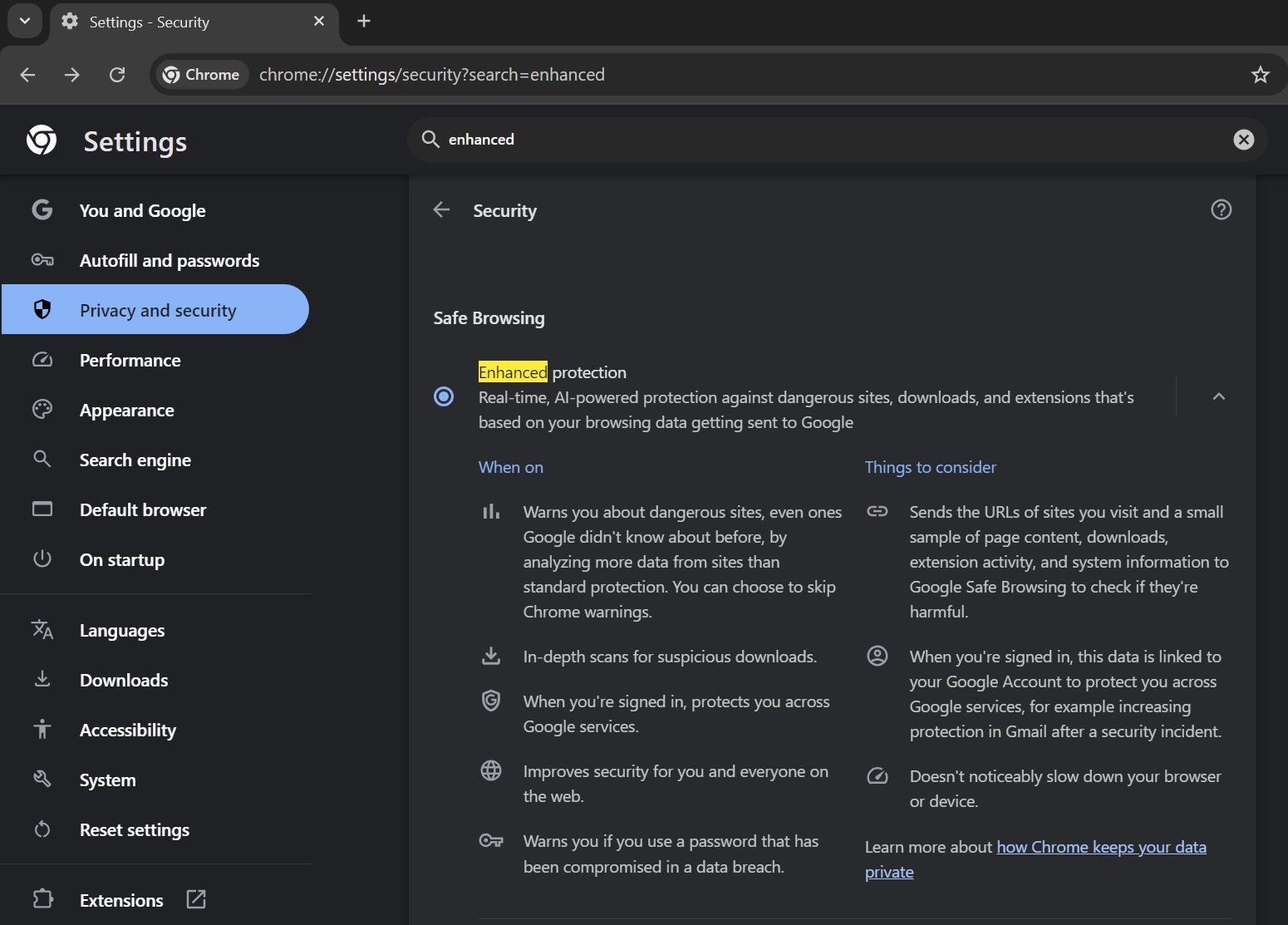
It’s unclear how the feature is different from the older ‘non-AI’ version, but Google could be using AI to understand the pattern in real-time and warn users about potentially harmful sites, even those that Google hasn’t previously identified.

According to Google, AI protection also performs an in-depth scan for suspicious downloads.
Now, Google has confirmed that Enhanced Protection was powered by an AI model hosted on your device via Google Chrome.
As spotted by Leo, Google Chrome now lets you delete the AI models behind AI-powered Enhanced protection.
To delete the AI model, you need to open Chrome> Settings> System and turn off “On-device GenAI.”
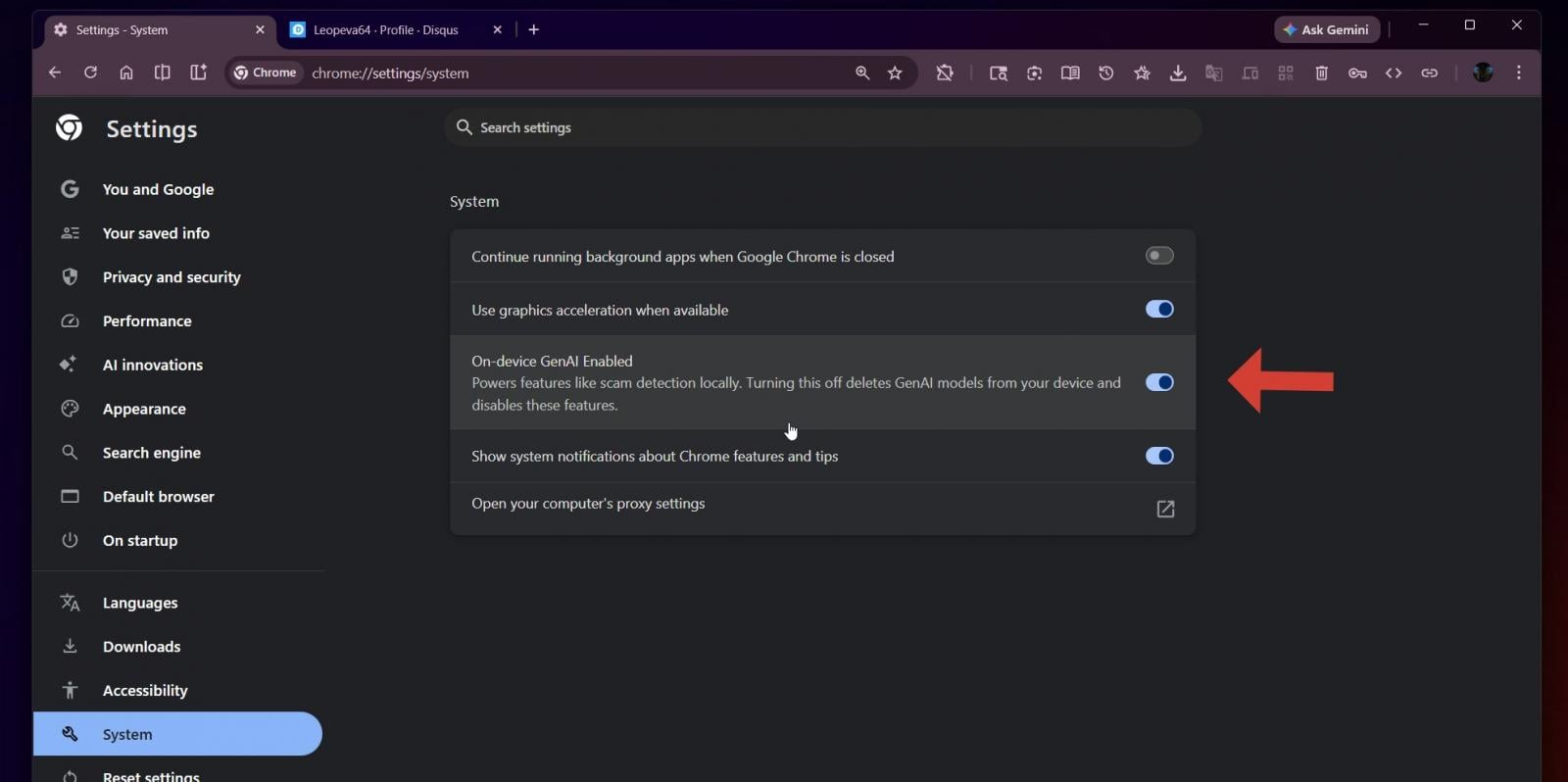
It also looks like local AI model in Chrome will power other features, not just scam detection.
This feature is live in Chrome Canary, and it’ll roll out to everyone soon.

7 Security Best Practices for MCP
As MCP (Model Context Protocol) becomes the standard for connecting LLMs to tools and data, security teams are moving fast to keep these new services safe.
This free cheat sheet outlines 7 best practices you can start using today.